Paid instantly from your wallet · in birr
Questions? Contact support
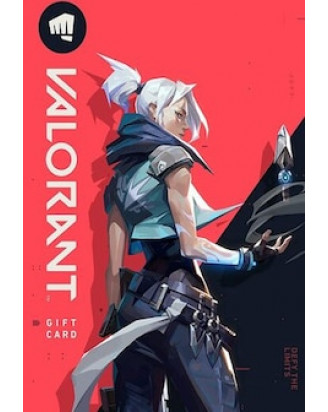
Valorant
Valorant
Valorant
Valorant
Valorant
Valorant
Valorant
Valorant
Valorant
Valorant
VALORANT gift cards are used to buy VALORANT Points (VP), the in-game currency in VALORANT. You can use VP to unlock premium weapon skins and other cosmetic items, and to buy Radianite Points, which are needed to upgrade weapons with new animations, visual effects and variants.
Kartu hadiah VALORANT digunakan untuk membeli VALORANT Points (VP), mata uang dalam game VALORANT. Anda dapat menggunakan VP untuk membuka skin senjata premium dan item kosmetik lainnya, serta membeli Radianite Points yang dibutuhkan untuk meningkatkan senjata dengan animasi, efek visual, dan varian baru.
Redemption Instructions
1. Go to shop.riotgames.com/redeem .
2. Log in with your Riot account.
3. Enter your code and confirm.
4. The VALORANT Points will be added to your account automatically.
5. Codes cannot be redeemed in-game or on the console.
1. Buka shop.riotgames.com/redeem .
2. Masuk dengan akun Riot Anda.
3. Masukkan kode Anda dan konfirmasi.
4. VALORANT Points akan ditambahkan ke akun Anda secara otomatis.
5. Kode tidak dapat ditukarkan di dalam game atau di konsol.
Terms of use
Visit www.riotgames.com/en/terms-of-service
Kunjungi www.riotgames.com/en/terms-of-service
Valorant
What is Valorant
Riot’s prepaid gift cards are a convenient way to purchase Riot’s in-game currency without the need for a credit card or bank account. These cards can be purchased digitally online or at local retailers, and they can be redeemed by entering the card’s pin code in our in-client store.
The perfect gift for anyone who plays VALORANT or trying it out for the first time
Unlocks in-game currency that can be used to purchase weapon skins and unlock new agents
Upon purchasing your cards, digital copy and receipt at least until you are able to verify that you have successfully redeemed the card. If any error occurs with the redemption process, your card and store receipt are vital in further investigating the issue.
How to redeem
How To Redeem?
1. Log into the VALORANT game client
2. Click on the VALORANT icon located to the right of the Store tab
3. Select Prepaid Cards & Codes
4. Input the code provided for your card
5. Press Submit
6. Enjoy your VALORANT Points!
Valorant Gift Card Activation Guide
Step 1: Log into the VALORANT game client with your account information
Step 2: Click on the VALORANT icon located to the right of the Store tab.
Step 3: Select "Prepaid Card & Codes".