Paid instantly from your wallet · in birr
Questions? Contact support
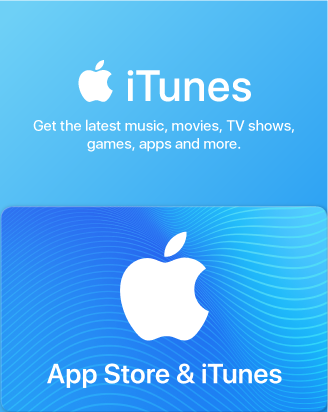
Apple
Apple
Apple
Apple
Apple
Apple
Apple
Apple
Apple
Apple
Perfect for anyone who loves apps, games, music, movies, TV programs, books, and more. Redeem your gift card in the App Store, iTunes Store, or Mac App Store and enjoy your purchase on your Mac/PC, iPhone, iPad, or Apple TV.
适合所有热爱应用、游戏、音乐、电影、电视节目、图书等内容的用户。在 App Store、iTunes Store 或 Mac App Store 兑换礼品卡,即可在 Mac/PC、iPhone、iPad 或 Apple TV 上畅享您的购买内容。
Redemption Instructions
On your iPhone, iPad, or iPod touch
1. On your device, open the iTunes Store app.
2. Scroll to the bottom of the Featured section and tap Redeem.
3. Log in with your Apple ID.
4. Tap "You can also enter your code manually."
5. Enter the 16-digit code, which starts with X.
6. Tap Redeem. After redemption is successful, your iTunes account balance automatically updates.
On your Mac
1. Launch iTunes.
2. Click Sign In. Then enter your Apple ID and password.
3. Click your name. Choose Redeem from the menu.
4. Enter your password again.
5. Enter the 16-digit code, which starts with X.
6. Click Redeem. After redemption is successful, your iTunes account balance automatically updates.
You will be able to see your updated balance in your Chinese iTunes Store account once the iTunes Gift Card is redeemed.
Credit will be deducted from your iTunes Store account each time you make a purchase until the funds are depleted.
You can use it across all your devices, so go ahead and redeem it today!
在 iPhone、iPad 或 iPod touch 上
1. 在设备上打开 iTunes Store App。
2. 滚动至“精选”页面底部,轻点“兑换”。
3. 使用您的 Apple ID 登录。
4. 轻点“您也可以手动输入兑换码”。
5. 输入以 X 开头的16位兑换码。
6. 轻点“兑换”。兑换成功后,您的 iTunes 账户余额将自动更新。
在 Mac 上
1. 打开 iTunes。
2. 点击“登录”,然后输入您的 Apple ID 和密码。
3. 点击您的姓名,从菜单中选择“兑换”。
4. 再次输入密码。
5. 输入以 X 开头的16位兑换码。
6. 点击“兑换”。兑换成功后,您的 iTunes 账户余额将自动更新。
兑换 iTunes 礼品卡后,您可以在中国 iTunes Store 账户中查看更新后的余额。
每次购买时,费用将从您的 iTunes Store 账户中扣除,直至余额用完。
您可以在所有设备上使用,立即兑换吧!
Terms of use
For T&C visit: https://www.apple.com/legal/giftcards/applestore/cn-en/
条款与条件请访问: https://www.apple.com/legal/giftcards/applestore/cn-en/
Apple
What is Apple
The Apple Store Gift Card is a multi-use product for any Apple user as it lets you purchase Apple products, accessories, apps, games, music, movies, and more on the Apple Store.
What can you buy with an Apple Gift Card?
1. Apps and games: Get your hands on any Apple Store app and game you desire.
In-App transactions: Any in-app purchase you make will be easy to complete and one tap away.
2. iTunes: Tired of listening to the same music? You’ll be able to purchase new song albums and podcasts without any trouble.
3. Apple Books: You will be able to purchase new books and articles and add them to your permanent reading library.
4. Apple TV: Buy and rent movies, and TV shows and access any premium channels you want.
5. Subscriptions: Pay for Apple music and movie streaming services or in-app monthly transactions.
6. iCloud: Access Apple’s cloud services to store your music, photos, and documents safely.
7. Physical Apple products: You can use your gift card to buy products like iPhones, AirPods, and many more from the Apple store.
How to redeem
In the App Store
Step 1. Open the App Store on your device and log in with your Apple ID.
Step 2. At the top right of the screen, tap the sign-in button or your profile photo.
Step 3. Select Redeem Gift Card or Code and enter the code you received from us.
Step