Paid instantly from your wallet · in birr
Questions? Contact support
Apple
Apple
Apple
Apple
Apple
Apple
Apple
Apple
Apple
Apple
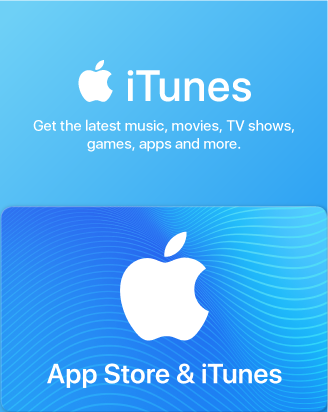
Perfect for anyone who loves apps, games, music, movies, TV programs, books, and more. Redeem your gift card in the App Store, iTunes Store, or Mac App Store and enjoy your purchase on your Mac/PC, iPhone, iPad, iPod, or Apple TV.
Redemption Instructions
How to redeem the iTunes code on iPhone, iPad, or iPod?
• Open the App Store on your device;
• Press Today at the bottom of the screen;
• Tap the Sign-in button or your photo on the top of the screen;
• Choose the Redeem Gift Card or Code option;
• Enter the purchased iTunes gift card code;
• Finish the process by pressing Redeem.
How to redeem the iTunes code on Mac?
• Open the App Store on your Mac;
• Sign-in or click on your profile name;
• Select the Redeem Gift Card option;
• Enter the purchased iTunes gift card code;
• Finish the process by pressing Redeem
How to redeem the iTunes code on Windows PC?
• Press the Account button on top of the iTunes window;
• Click the Redeem option;
• Sign-in with your Apple ID;
• Enter the purchased iTunes gift card code;
• Finish the process by pressing Redeem.
How to redeem the iTunes code on an Android device?
• Open the Apple Music app on your Android device;
• Press the menu button and select the Account option;
• Choose the Redeem Gift Card or Code option;
• Enter the purchased iTunes gift card code;
• Finish the process by pressing Redeem.
Terms of use
For T&C visit: https://www.apple.com/tr/legal/internet-services/itunes/tr/terms.html
Gift card does not expire.
Apple
What is Apple
The Apple Store Gift Card is a multi-use product for any Apple user as it lets you purchase Apple products, accessories, apps, games, music, movies, and more on the Apple Store.
What can you buy with an Apple Gift Card?
1. Apps and games: Get your hands on any Apple Store app and game you desire.
In-App transactions: Any in-app purchase you make will be easy to complete and one tap away.
2. iTunes: Tired of listening to the same music? You’ll be able to purchase new song albums and podcasts without any trouble.
3. Apple Books: You will be able to purchase new books and articles and add them to your permanent reading library.
4. Apple TV: Buy and rent movies, and TV shows and access any premium channels you want.
5. Subscriptions: Pay for Apple music and movie streaming services or in-app monthly transactions.
6. iCloud: Access Apple’s cloud services to store your music, photos, and documents safely.
7. Physical Apple products: You can use your gift card to buy products like iPhones, AirPods, and many more from the Apple store.
How to redeem
In the App Store
Step 1. Open the App Store on your device and log in with your Apple ID.
Step 2. At the top right of the screen, tap the sign-in button or your profile photo.
Step 3. Select Redeem Gift Card or Code and enter the code you received from us.
Step 4. Tap "Done" and enjoy!
In the Apple Music app on an Android device
Step 1. Open the Apple Music app.
Step 2. Tap the menu button.
Step 3. Select Account.
Step 4. Select Redeem Gift Card or Code.
Step 5. Enter the code you received from us and confirm your entry by tapping on "Redeem".
In the iTunes app
Step 1. Open iTunes on your Mac or PC.
Step 2. From the menu bar at the top of the iTunes window, choose Account.